
Activate and Measure Your Snowflake Segments on TV

Snowflake is where enterprise brands turn scattered customer data into the audiences they trust most. The data team brings every source together, decides exactly who matters to the business and saves that audience as a table. It’s the most precise picture of the customer a brand has, and what every TV campaign should be built on.
Vibe is now available as a native app on the Snowflake Marketplace.
Your data team keeps building audiences in Snowflake, and your marketers keep running campaigns in Vibe. The app connects the two in both directions, so the campaign reaches exactly the audience the data team signed off on and the results come back into Snowflake, next to the data that built it.
Why we built this
If the tools a brand uses every day are filing cabinets, each holding one kind of record, Snowflake is the records room where everything gets combined and cross-referenced. Vibe already connects to many of those cabinets, including Klaviyo, Shopify and HubSpot, and each one brings a useful audience to TV. The segments a business trusts most are built in the records room, though, because it's the only place where purchase history, email engagement, product usage and CRM records sit side by side. Those are the audiences advertisers need to bring to TV. Precision decides who a TV budget actually reaches, and at enterprise scale, the gap between a broad audience and a precise one is the gap between budget spent and budget wasted.
“Our advertisers' data teams have already done the hard work of deciding exactly who matters to their business. We built the Snowflake app so that precision carries all the way to the TV screen, without anyone having to export a file.”
The Snowflake app joins Vibe's Audience integrations. Most audience integrations bring in what one tool knows about your customers. This one brings in what your whole business knows, and the precision that comes with it.
Advertisers whose reporting already lives in Snowflake, often with Looker, Tableau or another BI tool on top, asked for the other direction too. Getting Vibe results into Snowflake meant building and maintaining their own pipeline from the Vibe Reporting API, so we added reporting to the same app, and activation and measurement now run through one connection.
Your data team stays in control
Vibe never calls into your Snowflake account. Data only moves when someone on your team pushes an audience or runs a report, and the app can read only the table your admin grants it. You mark each email and phone column as hashed or unhashed, and Vibe hashes any that aren't. Every push goes through a review screen before anything is sent. Reports bring back aggregated campaign results only, with no raw logs or personal data, and your account admin decides which analysts and tools can read them. Vibe is SOC 2 Type 2 compliant, so your security team can review it like any other vendor that handles first-party data. Learn more in the Trust Center.
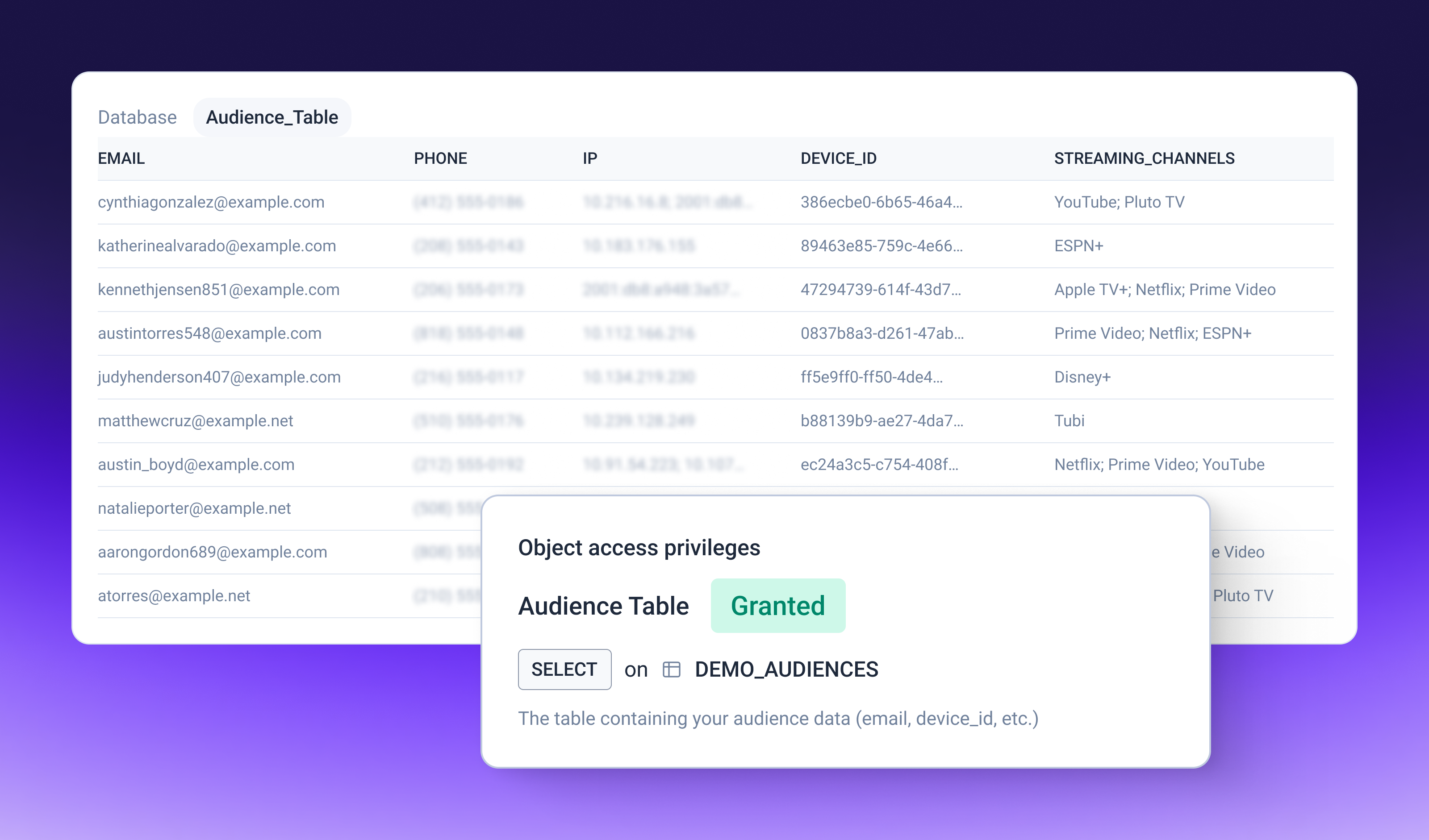
Use the segments you’ve already built
Your data team has already done the work of combining your sources, so there's nothing to reshape for Vibe. The app reads the columns in the finished table and asks which one holds each identifier Vibe can match on: email, phone, external ID, IP address or Identifier for Advertising (IFA). Map at least one, and map as many as you have, since each extra identifier gives Vibe more to match on. One column can feed more than one field.
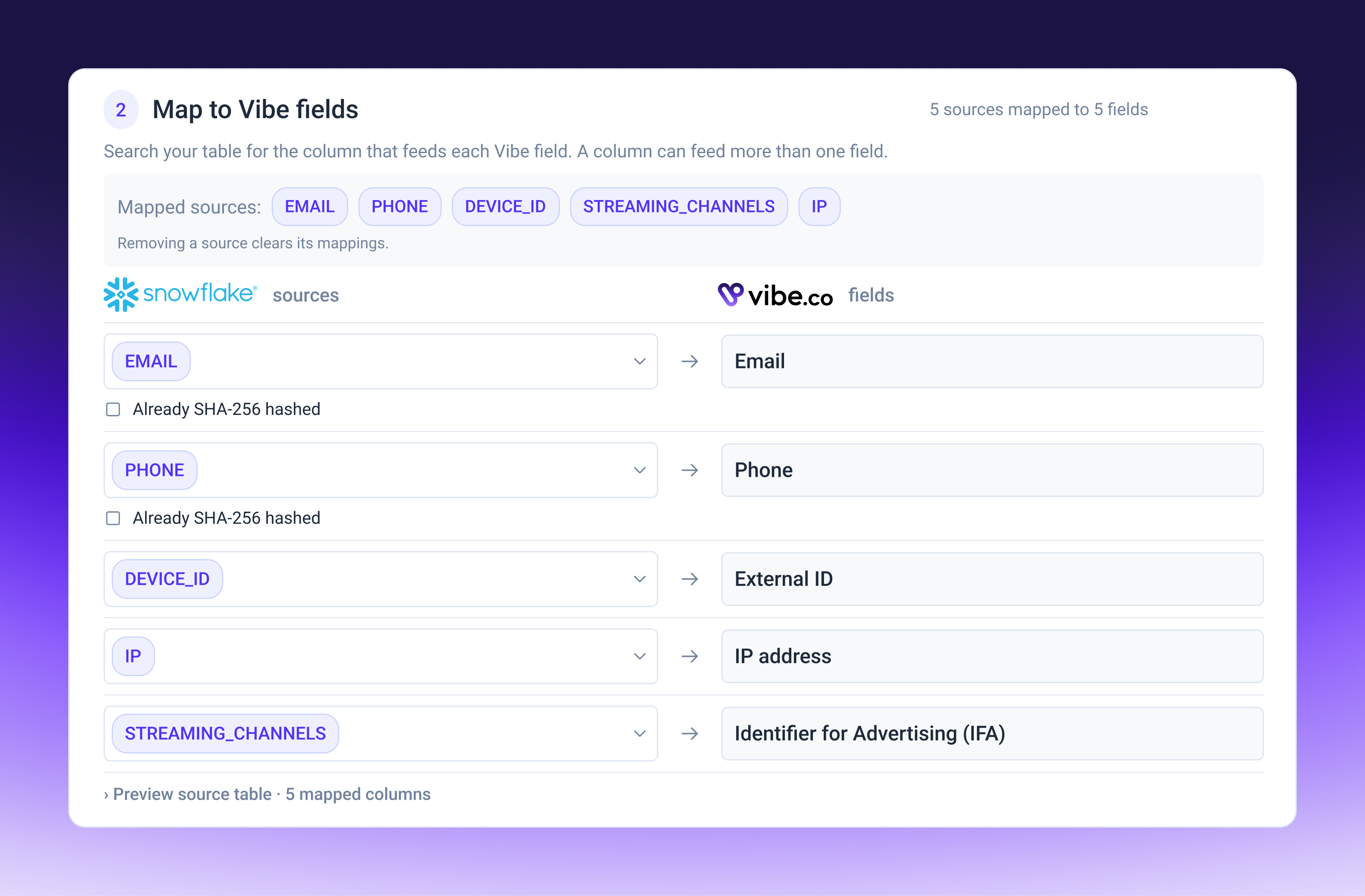
Save the mapping once and reuse it every time you push.
How the connection works
- Install the app. Get Vibe from the Snowflake Marketplace. On first install, a Snowflake account admin grants the app its permissions and chooses the table it can use as an audience source.
- Connect your Vibe account. In Vibe, open Integrations and add the Snowflake app. Choose which advertisers can use it, and Vibe generates a client ID and secret. Enter them in the Snowflake app.
- Choose an advertiser. Pick the Vibe advertiser the audience belongs to.
- Map your columns. Match each column to a Vibe field, preview exactly which columns will be sent and save the mapping.
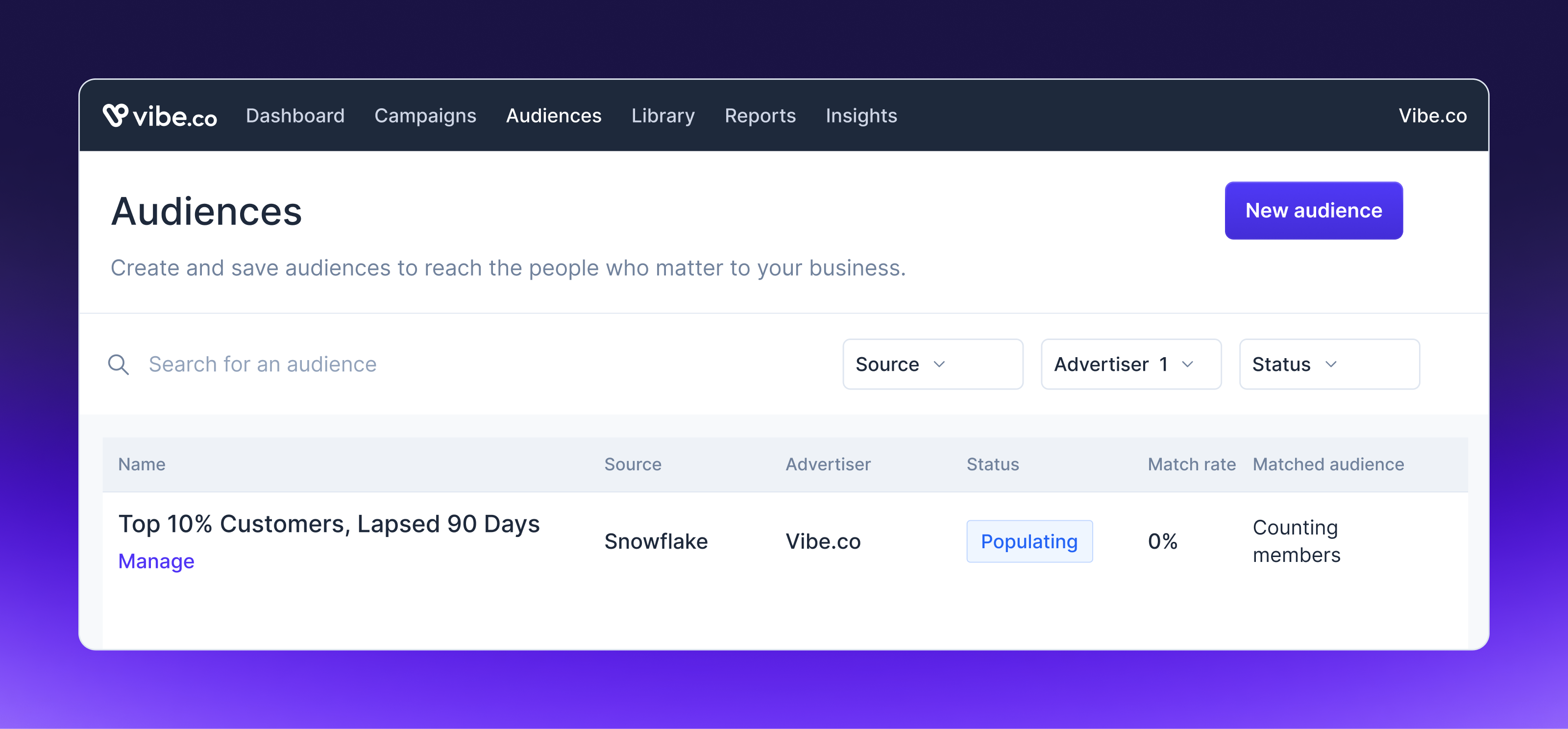
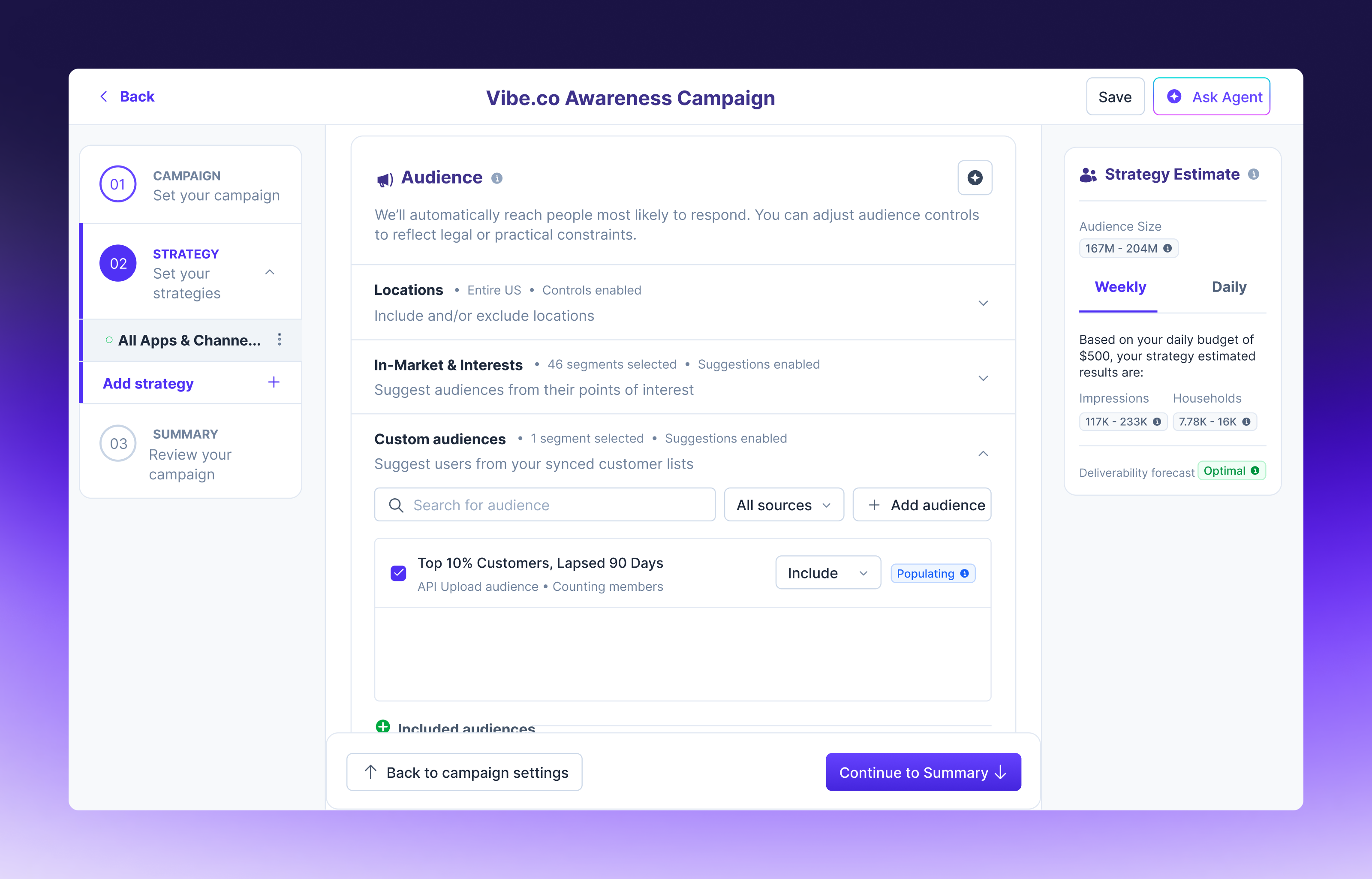
- Push the audience. Create a new audience in Vibe or choose an existing one. Review the source, the destination and the approximate row count, then confirm.
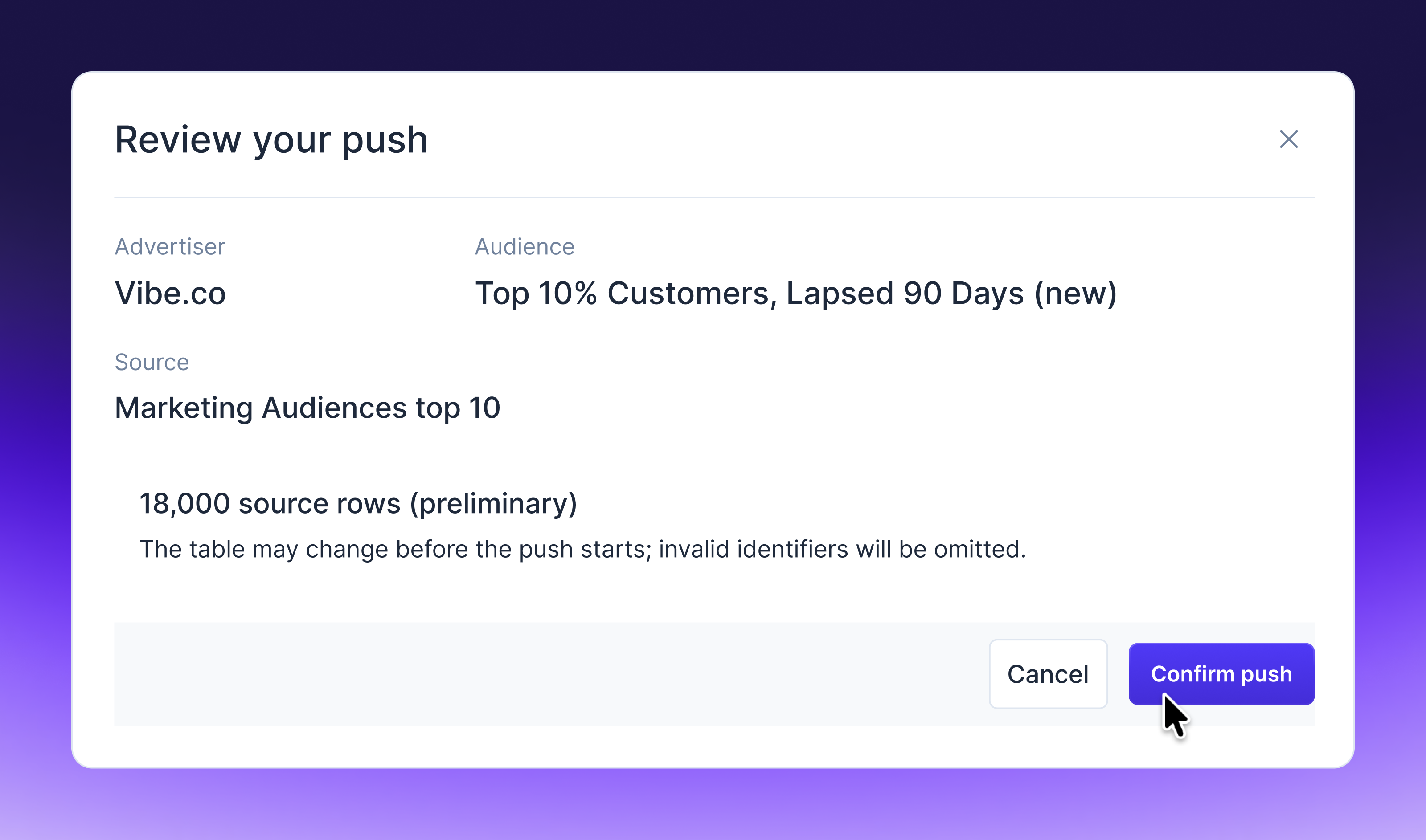
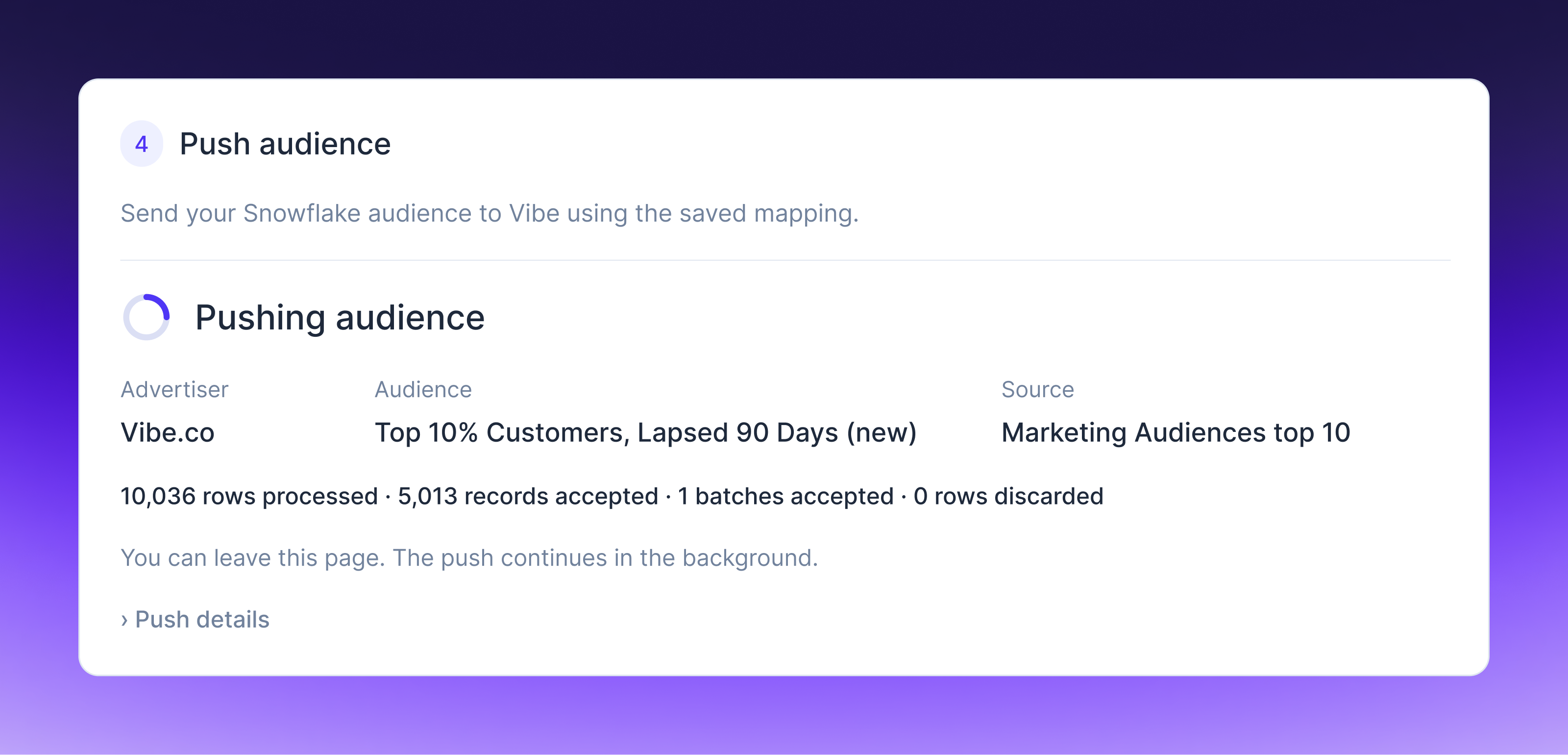
The audience then shows up in your Vibe account, ready to use in a campaign, including campaigns you build through Vibe's MCP. Every push is logged in upload history, so the data team and the marketer can both see what went over and when.
Get your results back in Snowflake
The app now has a Reporting tab. Choose the advertisers, breakdowns and metrics you want, name the destination table and click Run. Vibe writes your campaign results into a table in your own Snowflake account, where your analysts can query them with SQL or connect Looker, Tableau or any other BI tool.
Reports cover delivery (spend, impressions, households, frequency and CPM), video completion and outcomes from page views and sessions through leads, installs, purchases, revenue, ROAS and custom events. You can break results down by campaign, strategy, creative, channel and content, geography down to ZIP code, and audience segment.
Re-run a report whenever you want fresh numbers. Each run covers up to the last 45 days, and overlapping dates update in place, so conversions that arrive after an earlier run are counted without duplicates. It's the same data you see in Vibe and the Reporting API, delivered where your team already reports, so there's no pipeline to build or maintain.
What to run first
Start with the audience where precision matters most, one no single tool could build on its own. Most enterprise data teams already have several, like loyalty members who've gone quiet, customers who shop in store but have never bought through the app, or high-value accounts coming up for renewal. Pick one, push it to Vibe, build a campaign around it and set up a report so its results land in Snowflake next to the segment.
When the table updates, push again. Each push replaces the audience's contents, so the campaign targets whoever fits the segment right now, not whoever fits it the day you launched.
Getting started
The Vibe app is available on the Snowflake Marketplace. Setup instructions are in the Vibe help center. You'll need a Snowflake account admin for the first install and access to the Vibe advertiser you're pushing to. If you already use the app for audiences, the Reporting tab is there now, with nothing new to install.
Your most precise audience is already a table in Snowflake. Install the Vibe app from the Snowflake Marketplace, push it to your first campaign and bring the results back to Snowflake to see exactly what it delivered.

Vibe.co + Measured: Put streaming TV in your incrementality model
Vibe.co + Measured: Put streaming TV in your incrementality model
Connect Measured to Vibe once, and your streaming TV spend and performance sync daily, evaluated for incrementality next to every other channel you run.
Introducing Melius for Vibe: from a product photo to a TV-ready spot
Generate a video ad in Melius and export it straight to your Vibe creative library, checked against Vibe's TV specs before it leaves the canvas.
Amperity audiences, now on Streaming TV
Connect Amperity to Vibe and turn unified customer profiles into CTV audiences.
Introducing Vibe for Higgsfield: make a TV ad and launch it on streaming TV in one conversation
Generate a 15 or 30 second TV commercial in Higgsfield and launch it as a streaming TV campaign on Vibe, all from one conversation.
Introducing Walmart Audiences on Vibe
Target your CTV campaigns with Walmart Audiences, built from Walmart's first-party commerce signals, or let Smart select propose a starting list.

Get started with Vibe
in minutes.


Industries
© 2026 Vibe, Inc.