
Introducing Vibe for Higgsfield: make a TV ad and launch it on streaming TV in one conversation
Vibe now connects to Higgsfield, the AI video platform. You can generate a 15 or 30 second TV commercial in Higgsfield and launch it as a live streaming TV campaign on Vibe without leaving the chat.
Start with your website URL and a prompt. Higgsfield reads your site, writes and generates the spot, and hands the finished video to Vibe, where it lands in your creative library. From the same conversation, you can build the campaign around it: set your budget, choose your channels, pick the markets you want to reach, and publish. The ad you described a few minutes earlier is then on its way to the biggest screen in your customers' homes.
“Our customers come to Higgsfield to make their best creative, and Vibe gives that creative the reach of the biggest screen in the house. Connecting the two means the ad you describe in a chat can be in a live CTV campaign the same afternoon.”
How it works
The integration runs on the Model Context Protocol (MCP). Higgsfield's agent, Supercomputer, can call Vibe's tools directly, so every step of the workflow happens inside one Higgsfield session.
Here's what a full run looks like, using a coffee brand we set up for testing:
- Prompt Supercomputer with your brand. Give it your website and a short brief: the product, the audience, the feeling you want the spot to have.
- Higgsfield scrapes your site. It pulls your product imagery, colors, and messaging, so the ad starts from your brand rather than a blank template.
- Generate your spots. Higgsfield produces 15 and 30 second cuts, sized for TV.
- Push the creative to Vibe. The finished videos upload straight into your Vibe creative library.
- Build the campaign. In our test, that meant a campaign with two strategies, a $500 daily budget, HBO Max as the only channel, and a hand-picked set of DMAs.
- Publish. The campaign goes live on Vibe, and your creative enters Vibe's standard review before it starts serving.
You never open the Vibe dashboard to do any of this. When you want to check delivery or results later, everything you built is waiting in your Vibe account like any other campaign.
What you can make with it
Higgsfield gives you a production team's range of output from a prompt, and Vibe gives that output somewhere to run. A few ways our own team has used the pairing while testing it:
A polished brand spot. Describe the story you want to tell and let Higgsfield produce a cinematic 30 second commercial. It's the closest thing to a traditional TV shoot, and you can make it without writing an agency brief.
Your best social video, rebuilt for TV. If a vertical video is already performing on social, you can have Higgsfield extend it into a 16:9 spot built for the living room. [CONFIRM with Higgsfield: supported reframe/extend workflow for vertical to 16:9.] The message you've already proven gets a second life on streaming TV.
Variations for testing. Because a new cut is a prompt away, you can launch two or three versions of a spot in separate strategies and let performance tell you which one to scale.
Our team has been making Vibe's own ads this way for the past few weeks. The fastest learning: a fresh chat for each new concept gives more reliable results than piling revisions onto one long conversation.
Works in Claude and ChatGPT too
Higgsfield and Vibe each offer an MCP connector, and you can connect both to the same AI assistant. If you already work in Claude or ChatGPT, add the Higgsfield and Vibe connectors there and run the whole workflow from one chat: generate the video with Higgsfield, then upload it and build the campaign with Vibe.
This also means you can mix in the rest of your stack. Ask your assistant to pull last month's campaign results from Vibe, use them to decide which product to feature, and brief Higgsfield on the next spot, all in one place.
[CONFIRM: directory listing status for both connectors in Claude and ChatGPT at launch. If not listed yet, describe as custom connector setup.]
Who it's for
Brands without a video team. If you've held off on TV because you didn't have a commercial, this removes the bottleneck. Your website is enough to start.
Performance marketers who test a lot. Generating several cuts and running them side by side in separate strategies turns creative into something you iterate on weekly, the same way you already iterate on audiences and bids.
Agencies. Produce a first-pass spot for a client pitch or a new account quickly, then refine it before it goes live. Each campaign still runs under the right advertiser in your Vibe account.
Before you start
A few things to know so your first run goes smoothly:
- Admin access is required to publish. Anyone can generate video, but only a Vibe user with admin access can push a campaign live through the integration.
- Creative review still applies. Videos made with Higgsfield go through the same approval review as any other creative uploaded to Vibe before they serve.
- Credits are billed separately. Video generation uses your Higgsfield plan and credits. Media spend runs through your Vibe balance as usual.
- Check the spot before you publish. AI video is fast, but it is worth watching every cut end to end before it goes on air. Look for on-screen text, product details, and pronunciation of your brand name in any voiceover. (Tip: spell out the pronunciation phonetically in your prompt if the model gets it wrong.)
Get started
Connect Vibe to Higgsfield using the steps in our help center article, then start a session with your website and a one-line brief. If you're new to Vibe, create an account.
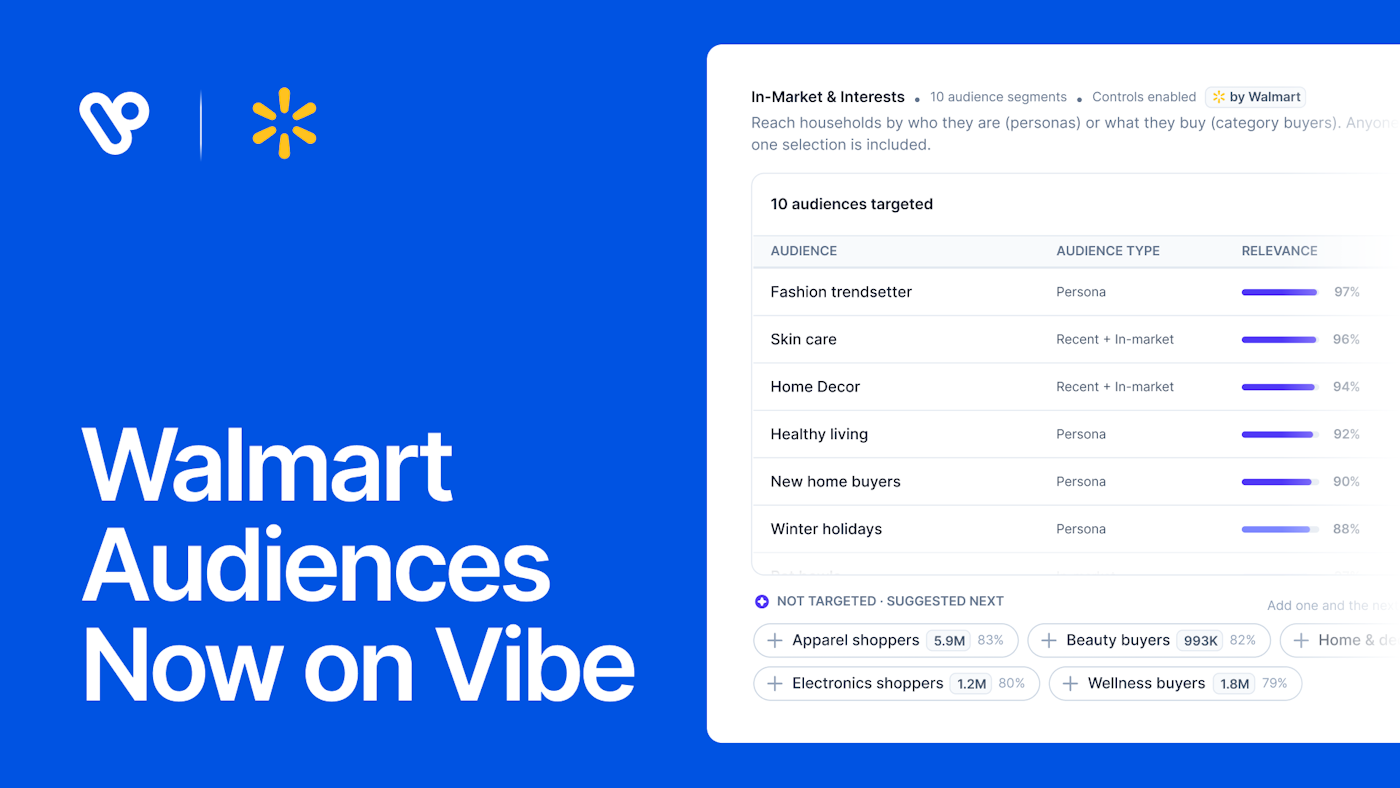
Introducing Walmart Audiences on Vibe
Introducing Walmart Audiences on Vibe
Target your CTV campaigns with Walmart Audiences, built from Walmart's first-party commerce signals, or let Smart select propose a starting list.
Measure CTV brand lift on Vibe with Upwave, DISQO, and Kantar
Select enterprise brands can now measure the brand impact of their Vibe CTV campaigns with Upwave, DISQO, and Kantar.
450 Apps Have Launched on Vibe's Developer Platform Since June
450 apps have launched on Vibe's Developer Platform since June, bringing CTV into audience, CRM, measurement, and creative tools via API.
Twilio Segment now sends conversions to Vibe.co
Vibe is now a conversion destination in Twilio Segment. Send the events you already track to Vibe server to server and measure CTV results.
Smarter bidding across every goal
Keanu 4.0, Carrie-Anne 1.5 and Laurence 1.0 are live on every Vibe.co campaign: +26% more outcomes at constant budget, +36% more households reached.

Get started with Vibe
in minutes.


Industries
© 2026 Vibe, Inc.