
Introducing the Creative Library
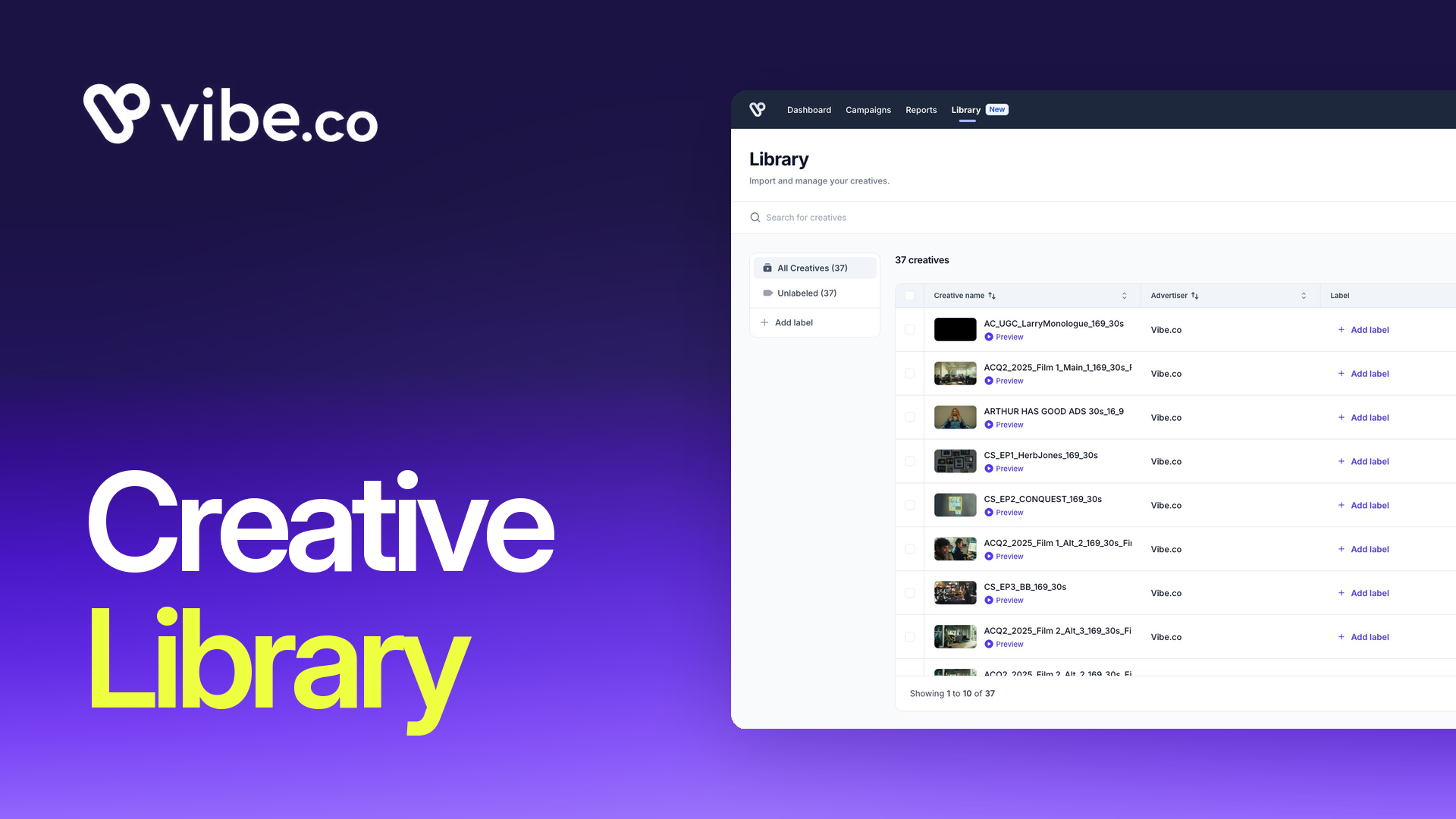
The Creative Library is now complete. Starting today, every creative asset you run through Vibe lives in a single, organized, searchable library, with bulk upload, custom labels, and a fully redesigned in-campaign creative selector.
You can upload a full batch of seasonal creatives, label them by brand or campaign type, and go from "files on my desktop" to "live in a campaign" in a handful of clicks. No more hunting for filenames. No more uploading the same asset three different ways.
The Creative Library is available to all Vibe advertisers today, from the new Library section in the main navigation.
What the Creative Library is
Before the Creative Library, managing creatives in Vibe meant handling them through the campaign creation flow, one at a time. There was no dedicated place to browse what you had, rename or organize assets, or see which ones were already in use. If you managed creative across multiple brands or refreshed assets seasonally, the friction was real.
The Creative Library is a dedicated page, accessible from the top navigation, that gives you a full view of every creative in your account. You see thumbnails, asset names, advertiser, duration, and last modified date at a glance. You can search by name, filter by advertiser, preview any creative, rename it, or delete it. Deletion is guarded: if a creative is used in a published campaign, Vibe won't let you remove it.
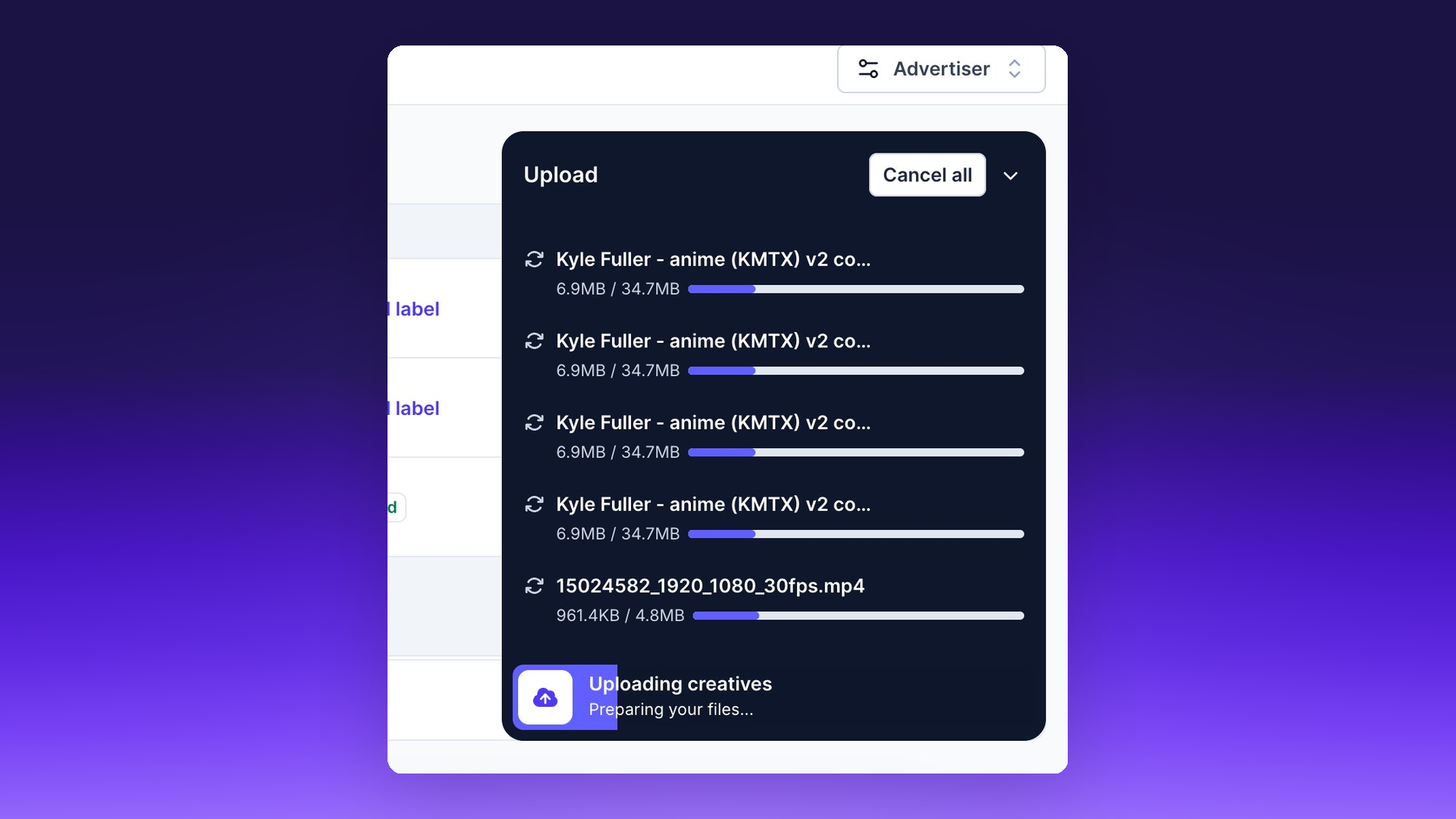
The upload manager shows progress bars per asset, lets you abort mid-upload, and handles errors individually so one bad file doesn't block the rest of your batch.
Bulk upload
The original Library launched with single-file upload. That changed in February, when we shipped bulk upload.
You can now select and upload up to 5 creatives in a single action directly from the Library page or from within the campaign creation and editing flow. That limit will increase to 10 in the coming weeks. For agencies and e-commerce advertisers refreshing creative sets regularly, this removes one of the more tedious parts of campaign setup.
Labels
Browsing a long list of creatives by filename is workable when you have 20 assets. It breaks down at 200.
Labels let you apply custom tags to any creative, either during upload or at any point from the Library. You define the tagging system that matches your workflow: by brand, by format, by season, by campaign objective. Labels are yours to create and manage.
The labels you build in the Library carry into campaign creation. When you're selecting creatives for a strategy, you can filter your library by label and go straight to the assets that belong there, rather than scrolling through everything you've ever uploaded.
Redesigned in-campaign creative selector
Completing the Creative Library project required rethinking the creative selector inside the campaign creation and editing flow, not just the standalone Library page.
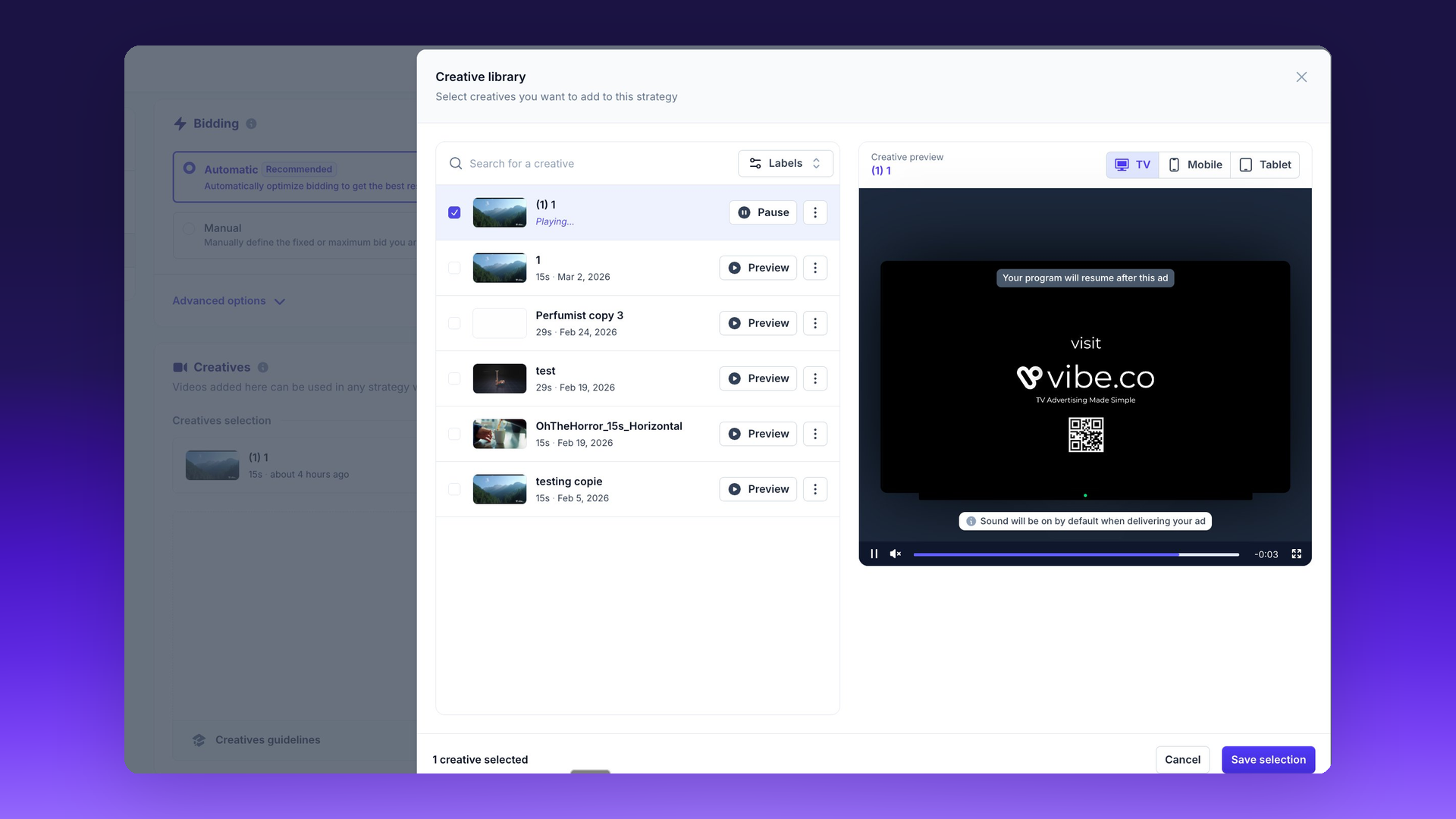
The selector is now a two-column layout: your creative list on the left, a preview panel on the right. When you click on a creative, the preview renders immediately alongside the list. You don't lose your place while evaluating an asset.
Show Image
The preview panel supports three views: TV, Mobile, and Tablet. You can check how a creative renders across form factors before committing it to a strategy. That's useful for advertisers running across device types where aspect ratios and text legibility differ.
Label-based filtering in the selector is the piece that makes labels fully actionable. Creating labels in the Library was the foundation. Filtering by them inside campaign creation is where they pay off.
What's in scope and what to know
The Creative Library covers video creatives uploaded directly to Vibe. It does not currently surface creatives pulled in via third-party ad servers or trafficking integrations; those still appear only within their respective campaign contexts.
The "can't delete if used in a published campaign" safeguard applies only to published campaigns. Creatives tied to paused or draft campaigns can be deleted.
There are no changes to pricing or plan access as part of this launch. The Library is available to all advertisers on all plans.
What's next
The upcoming increase from 5 to 10 assets per bulk upload batch is already in progress. Linked instances (the ability to see, from the Library, exactly which strategies are using a given creative) is on the roadmap. We'll share timing as it gets closer.
For questions, reach out to your Vibe account team or use the in-app support link.

450 Apps Have Launched on Vibe's Developer Platform Since June
450 Apps Have Launched on Vibe's Developer Platform Since June
450 apps have launched on Vibe's Developer Platform since June, bringing CTV into audience, CRM, measurement, and creative tools via API.
Twilio Segment now sends conversions to Vibe.co
Vibe is now a conversion destination in Twilio Segment. Send the events you already track to Vibe server to server and measure CTV results.
Smarter bidding across every goal
Keanu 4.0, Carrie-Anne 1.5 and Laurence 1.0 are live on every Vibe.co campaign: +26% more outcomes at constant budget, +36% more households reached.
Fairing on Vibe: post-purchase answers become CTV conversions
Connect Fairing to Vibe so your streaming TV channels appear in your post-purchase survey, and the customers who credit TV come back as conversions.
Design in Canva, run on TV
Vibe is now the first CTV destination in Canva's publish menu. Design a video ad in Canva and publish it straight to your Vibe creative library.

Get started with Vibe
in minutes.


Industries
© 2026 Vibe, Inc.