
Twilio Segment now sends conversions to Vibe.co
Customers that use Twilio Segment as their customer data platform can already send their audiences to Vibe for activation.
Starting today, Vibe is a conversion destination in Twilio Segment.
If your tracking plan lives in Segment, the events you already send, like Order Completed, now count as CTV conversions in Vibe, defined the same way they are everywhere else in your stack.
The Vibe Tracking Event destination is in beta in Segment, and every Vibe advertiser will have access.
Why we built this
Vibe and Twilio Segment launched our Audiences integration nearly a year ago, allowing advertisers to sync Segment audiences into Vibe for targeting. Since that launch, advertisers have asked us to complete the picture: measuring CTV results from the same events that already feed the rest of their stack.
“"This integration turns something that's often a highly technical exercise -- server-side event tracking -- and transforms it into a plug-and-play experience. Especially if your other ad tracking pixels sit in Twilio, now your Vibe tracking lives in the same place."”
The teams making the request run their customer data through Segment on purpose. Their definition of a purchase, a sign-up or a qualified lead lives there, and every tool they add is expected to read from it. A second tag with its own definitions works against that. With this update, Vibe reads from the same source as everything else.
“"Our customers build their tracking plan once in Segment and expect every destination to respect it. Adding conversions to the Vibe destination means CTV results are counted the same way as every other channel they run."”
Already on Segment? You're most of the way there
If you run Segment, most of the setup already exists.
- Your events. The track calls you already send for purchases, sign-ups or leads become your Vibe conversions.
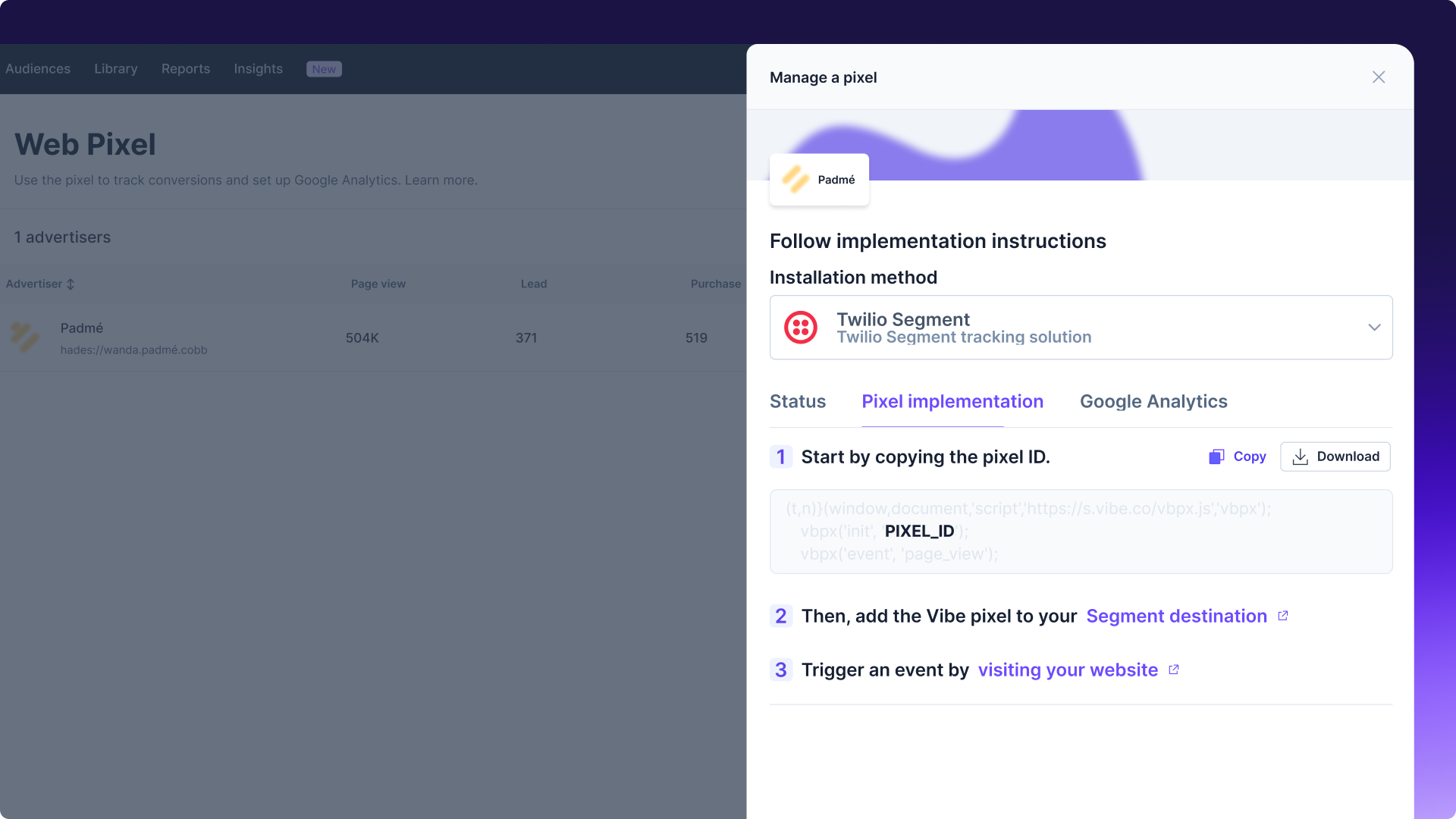
- A Vibe pixel ID. It identifies your account and lives under Settings > Tracking > Web Pixel in Vibe. Creating a pixel is a setting in Vibe that generates the ID, which you copy into Segment.
- Your audience connection. If you already sync Segment audiences to Vibe, that keeps running exactly as it does today.
How it works
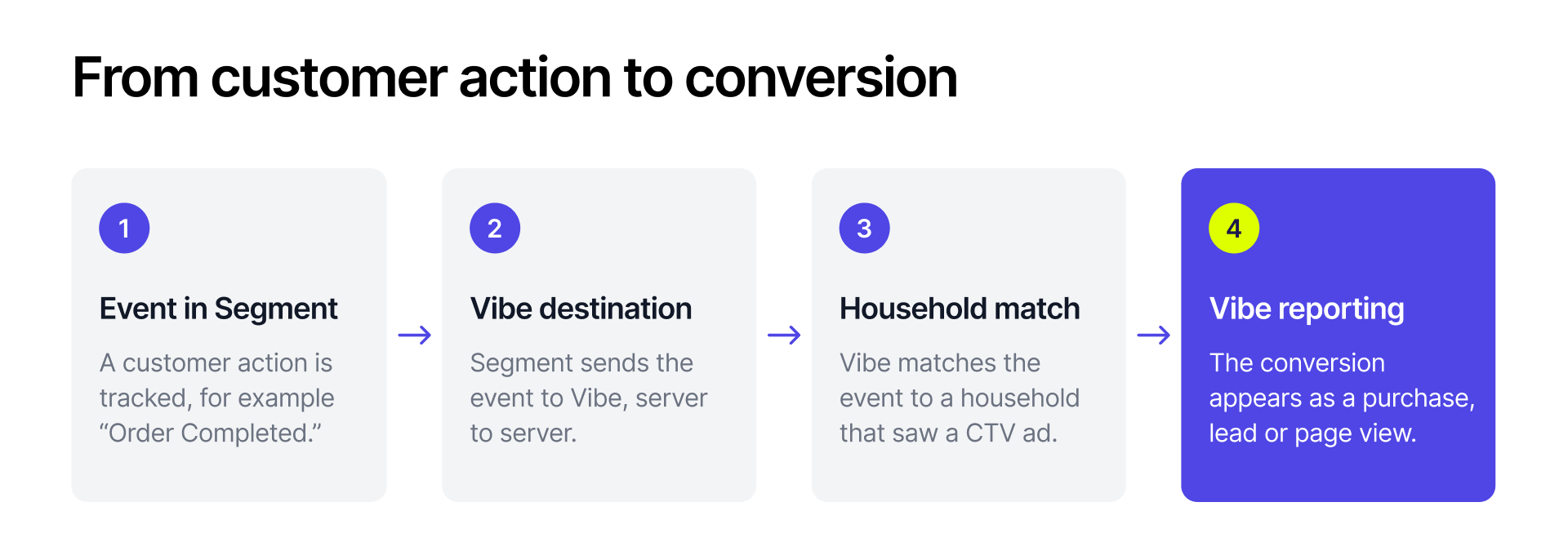
- A conversion event fires in Segment, such as Order Completed.
- Segment sends it to Vibe server to server, with your pixel ID, the conversion name, an event ID, the shopper's IP address and a timestamp.
- Vibe matches the event to a household and attributes it to the campaigns that household was exposed to.
- The conversion appears in Vibe reporting as a lead, purchase or page view, the same way pixel events always have.
Getting started
Setup happens in two places.
1. In Vibe, create a pixel if you don't have one and copy its ID from Settings > Tracking > Web Pixel.
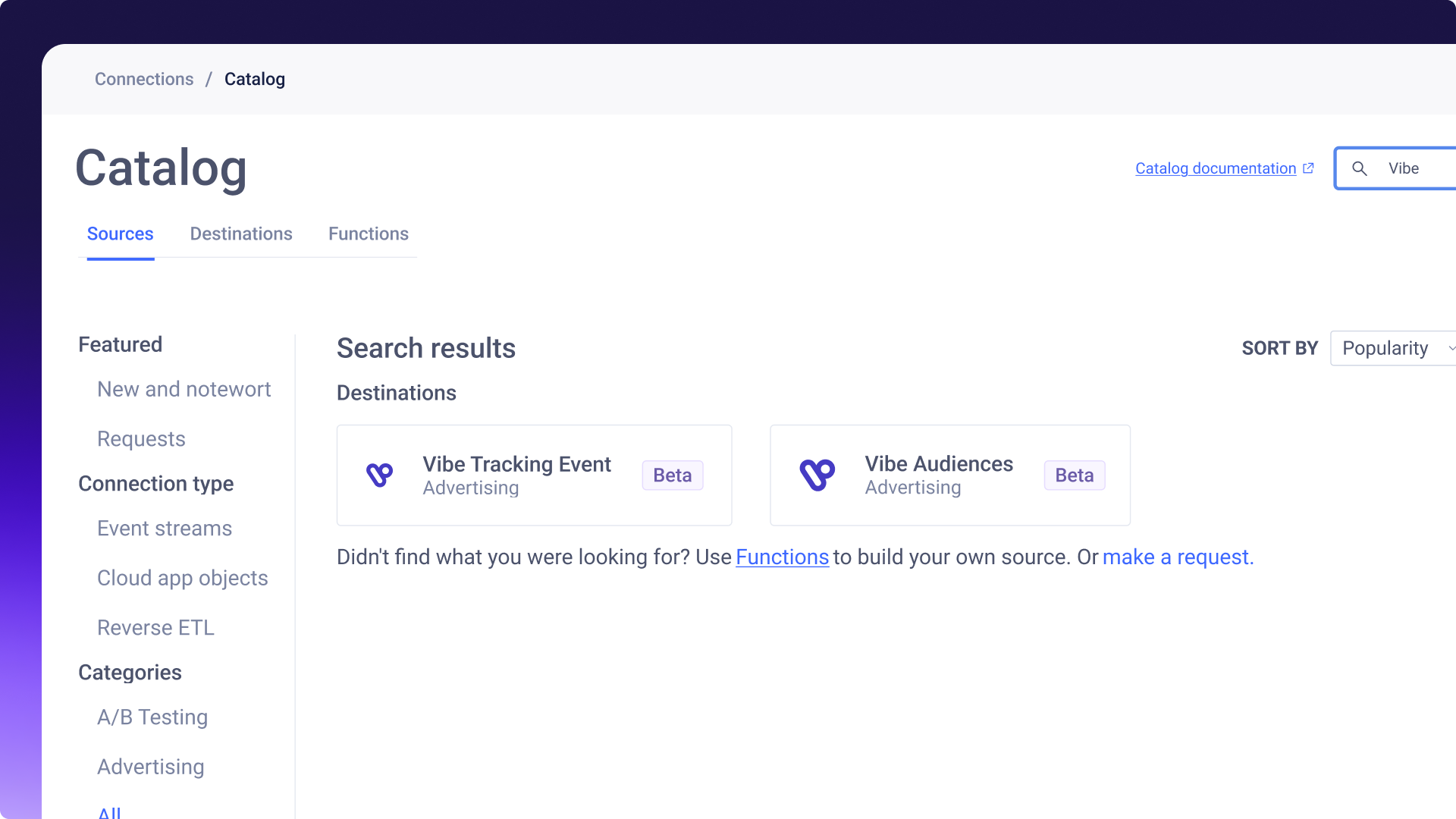
2. In Twilio Segment, add the Vibe Tracking Event destination, paste your pixel ID and map your conversion events.
Full setup steps are in the Vibe S2S conversion tracking guide.
Your Segment tracking plan already describes what a good outcome looks like, and now Vibe reads it too. Turn on the Vibe Tracking Event destination in Twilio Segment and send your first conversion today.

Smarter bidding across every goal
Smarter bidding across every goal
Keanu 4.0, Carrie-Anne 1.5 and Laurence 1.0 are live on every Vibe.co campaign: +26% more outcomes at constant budget, +36% more households reached.
Fairing on Vibe: post-purchase answers become CTV conversions
Connect Fairing to Vibe so your streaming TV channels appear in your post-purchase survey, and the customers who credit TV come back as conversions.
Design in Canva, run on TV
Vibe is now the first CTV destination in Canva's publish menu. Design a video ad in Canva and publish it straight to your Vibe creative library.
Introducing Omnisend for Vibe
Sync Omnisend segments to Vibe and run them as Streaming TV audiences.
Introducing Vibe CLI
Run CTV campaigns from your terminal or coding agent with Vibe CLI. Query performance, launch campaigns, and script the repetitive work. Live now.

Get started with Vibe
in minutes.


Industries
© 2026 Vibe, Inc.