
Introducing Vibe CLI
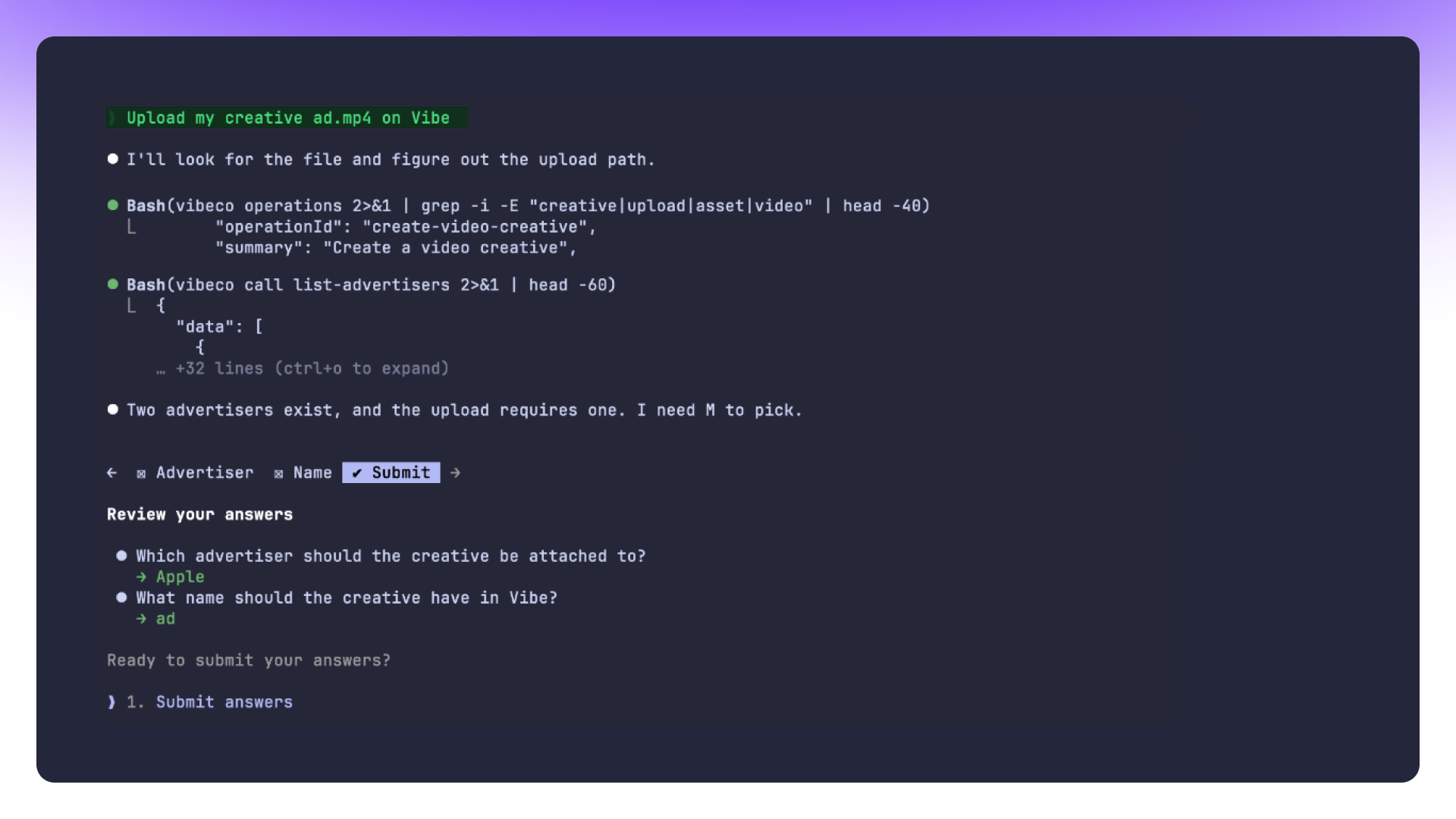
Vibe CLI brings CTV campaign management to your terminal and to your coding agent. Run a command yourself, or describe the change you want inside Claude Code, Cursor, or Codex, and let the agent run it for you.
If you already script your GTM stack instead of clicking through it, this is the surface for you. Bulk edits that used to mean mindless, time consuming manual tasks become one command. A recurring reporting pull becomes a script you run once and reuse every week. A campaign change your agent can describe, it can now also execute, without you touching a dashboard.
What you can run today
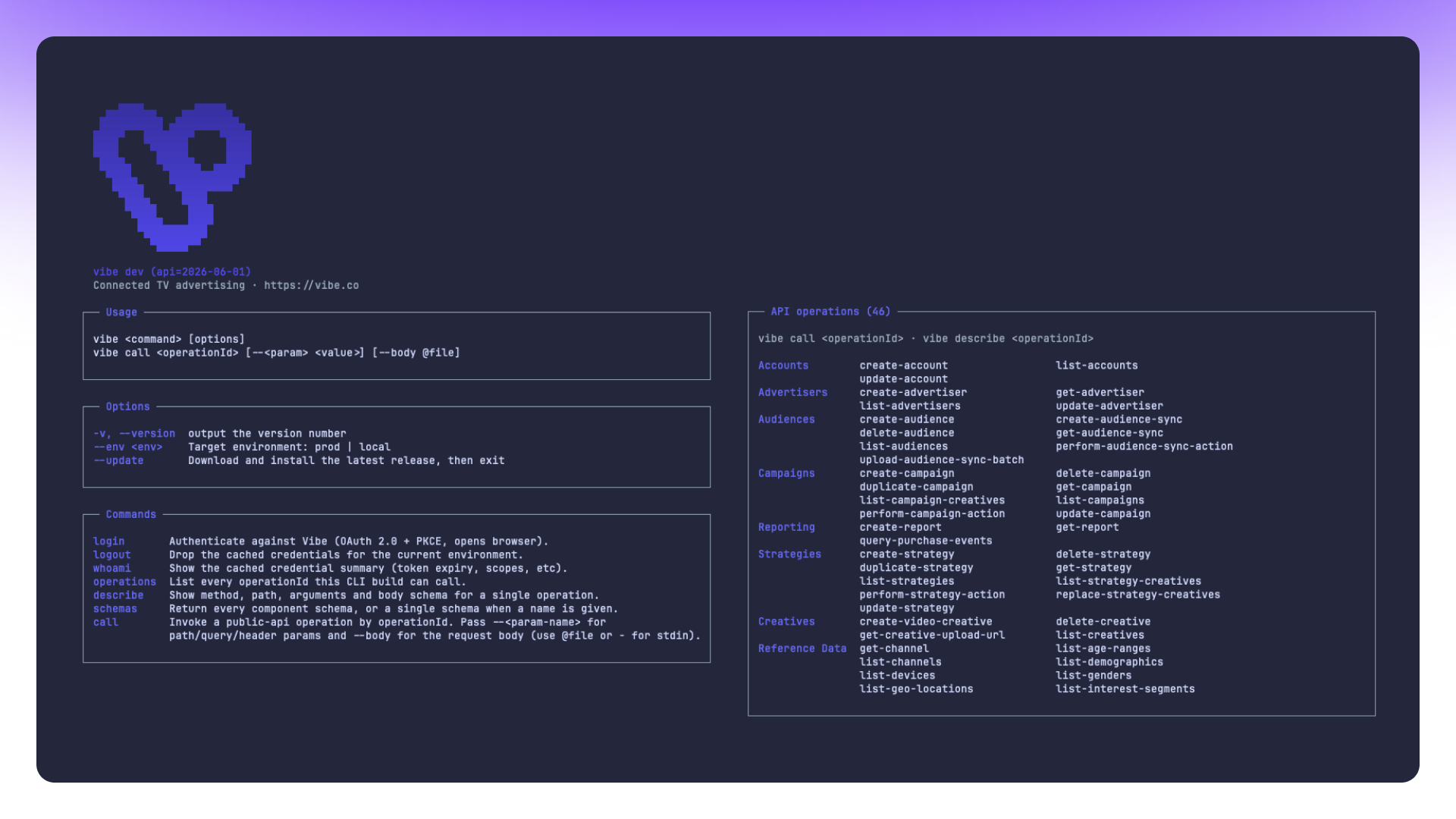
Vibe CLI covers the same ground as what’s inside your Vibe platform, in commands instead of clicks:
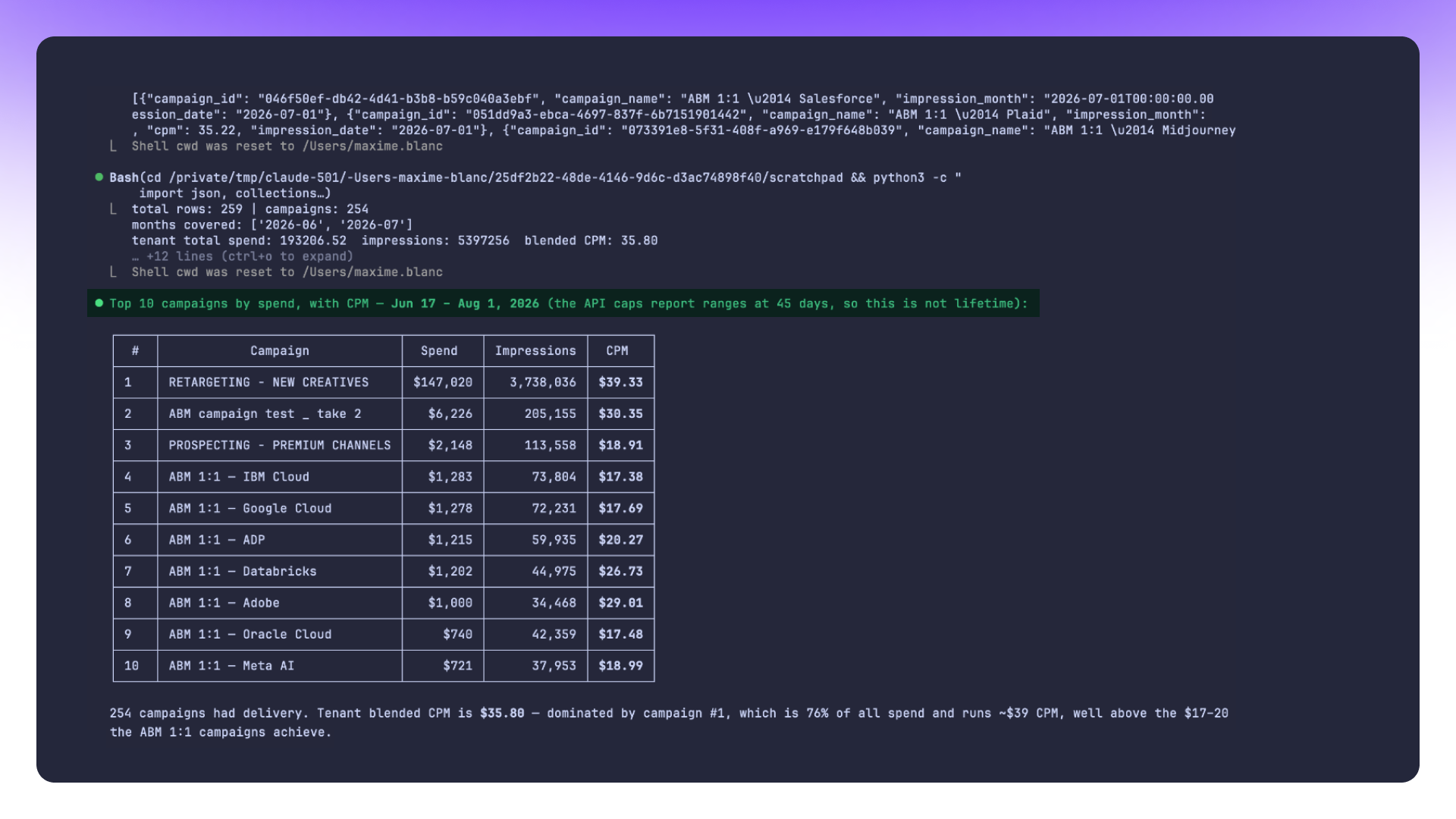
- Query performance across any campaign, strategy, or creative, and get the answer back as structured data instead of a dashboard view you have to screenshot.
- Launch new campaigns and manage the ones already running: budgets, flight dates, targeting, pacing.
- Sync audiences into a campaign without opening the audience builder each time.
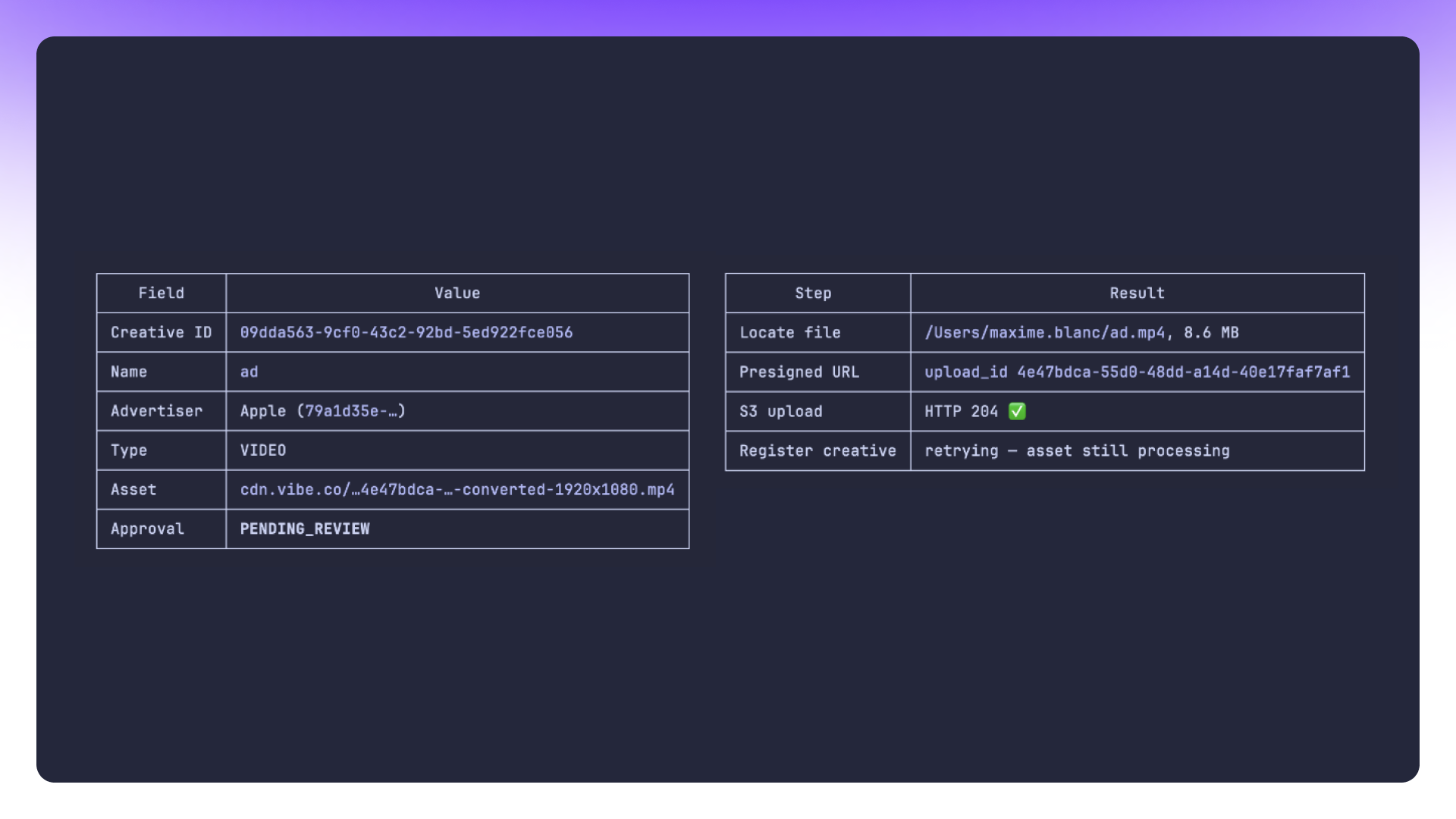
- Manage creatives, including swaps and approvals, from the same place you manage everything else.
- Configure strategies at the level a single command can describe, instead of the level a single click can reach.
Anything you'd otherwise repeat by hand, and describe the same way each time, is a candidate for a script. Write it once. Run it every week.
How it works
Vibe CLI is a command-line interface to the same campaign engine behind Vibe's dashboard. You can call it two ways.
Directly: run a command in your terminal to query performance, launch a campaign, adjust a strategy, sync an audience, or manage a creative. Every command returns clean, structured output built to pipe into other tools, wire into a script, or feed a dashboard you already maintain.
Or through your coding agent: describe what you want in plain language inside Claude Code, Cursor, or Codex, and the agent translates that into CLI calls and executes them. You get the natural-language ease of a chat interface with the precision and repeatability of a real command.
Authentication runs through your existing Vibe account. Log in once, and the CLI connects to the same live campaign data your account already works within the Vibe platform no separate credential to create or manage.
That also means there's nothing extra to hand your coding agent. You're not issuing it some separate access token or a parallel login, you're pointing it at the Vibe account you already use every day.
Built for coding agents, not just the terminal
The CLI's second surface, coding agents, is where it earns its keep for teams that already build there. If your growth engineers live in Claude Code, they don't need to leave it to touch a campaign. They describe the change, the agent runs the CLI command, and the result lands in your live account the same way a manual edit would.
This matters most for the work that's tedious to do by hand and easy to describe in words: "pause every strategy under $1,000 daily spend that hasn't hit its CPA target this week," or "pull last month's reporting for these six campaigns and format it as a table." A dashboard makes you click through each one. The CLI, run directly or through an agent, makes it one instruction.
It also changes what "checking on a campaign" looks like day to day. Instead of opening Vibe, clicking into a campaign, then a strategy, then a reporting tab, you ask your agent what changed since yesterday, and it runs the query and hands you the answer. The dashboard is still there when you want to browse. The CLI is there for when you already know exactly what you want and don't want the clicks in between.
One backend, four surfaces
Vibe CLI is the newest of four ways into the same account: the Vibe dashboard, the in-app Vibe AI Agent, the Vibe MCP, and now the CLI. All four read and write the same live campaign data, so a change you script from the terminal shows up in Vibe immediately, and a campaign you built by hand shows up the next time you query it from the CLI.
The four surfaces aren't redundant, they're suited to different moments. The dashboard is where you look when you want to see everything at a glance. The MCP is where you go when you want to ask a question in a chat window and get an answer back in natural language. The CLI is where you go when the work needs to be scripted, scheduled, or repeated, and when you want that automation to live in the same terminal or coding agent you already use for everything else.
That shared backend also means you can move between surfaces without losing anything. Build a campaign by hand in Vibe on Monday, then write a script against it from the CLI on Tuesday. Query it from the MCP on Wednesday to sanity-check a number before a client call. None of these surfaces is the "real" one that the others are a layer on top of. They all point at the same account.
For technical marketers, agencies, and growth teams
Vibe CLI is built for the technical slice of Vibe's marketer base, the ones already comfortable in a terminal or already running a coding agent for other parts of their job.
For midmarket teams, that usually means a growth engineer or technical marketer at a Series A through C company who wants campaign work to be scriptable instead of re-clicked every week. Set up the recurring reporting pull once, run it as a script from then on.
For agencies running CTV across many client accounts, the CLI turns bulk changes and cross-account reporting into a single script instead of a dozen manual passes through separate dashboard logins. Update pacing across ten client campaigns in one pass instead of ten.
For enterprise teams automating campaign operations at scale, the CLI pairs with the Vibe Developer Platform to build campaign logic directly into internal tooling and CI-style workflows, so a deploy pipeline or an internal ops tool can trigger a Vibe campaign change the same way it triggers anything else in your stack.
None of these require you to be an engineer first. If you're comfortable enough in a terminal to run a command someone else wrote, or comfortable enough in a coding agent to describe what you want and check its work, you have what the CLI needs from you. The technical bar is lower than "build an integration." It's closer to "know what you want to happen."
Getting started with Vibe CLI
Vibe CLI is available now to every Vibe account holder, on every plan. There's no separate onboarding flow and no new contract to sign. If you already have a Vibe account, you already have access.
To use it with a coding agent, connect Vibe CLI inside Claude Code, Cursor, or Codex, and start describing the campaign changes you want. To use it directly, install it and authenticate:
curl -fsSL https://raw.githubusercontent.com/vibe-ad/vibe-cli/main/install.sh | shvibeco loginThat's it, you're authenticated and ready to run commands against your live campaign data. Full setup docs, including how to connect it to a coding agent, are on GitHub.
Amperity audiences, now on Streaming TV
Amperity audiences, now on Streaming TV
Connect Amperity to Vibe and turn unified customer profiles into CTV audiences.
Introducing Vibe for Higgsfield: make a TV ad and launch it on streaming TV in one conversation
Generate a 15 or 30 second TV commercial in Higgsfield and launch it as a streaming TV campaign on Vibe, all from one conversation.
Introducing Walmart Audiences on Vibe
Target your CTV campaigns with Walmart Audiences, built from Walmart's first-party commerce signals, or let Smart select propose a starting list.
Measure CTV brand lift on Vibe with Upwave, DISQO, and Kantar
Select enterprise brands can now measure the brand impact of their Vibe CTV campaigns with Upwave, DISQO, and Kantar.
450 Apps Have Launched on Vibe's Developer Platform Since June
450 apps have launched on Vibe's Developer Platform since June, bringing CTV into audience, CRM, measurement, and creative tools via API.

Get started with Vibe
in minutes.


Industries
© 2026 Vibe, Inc.