
Experiments: A/B testing for your streaming TV campaigns, built into Vibe
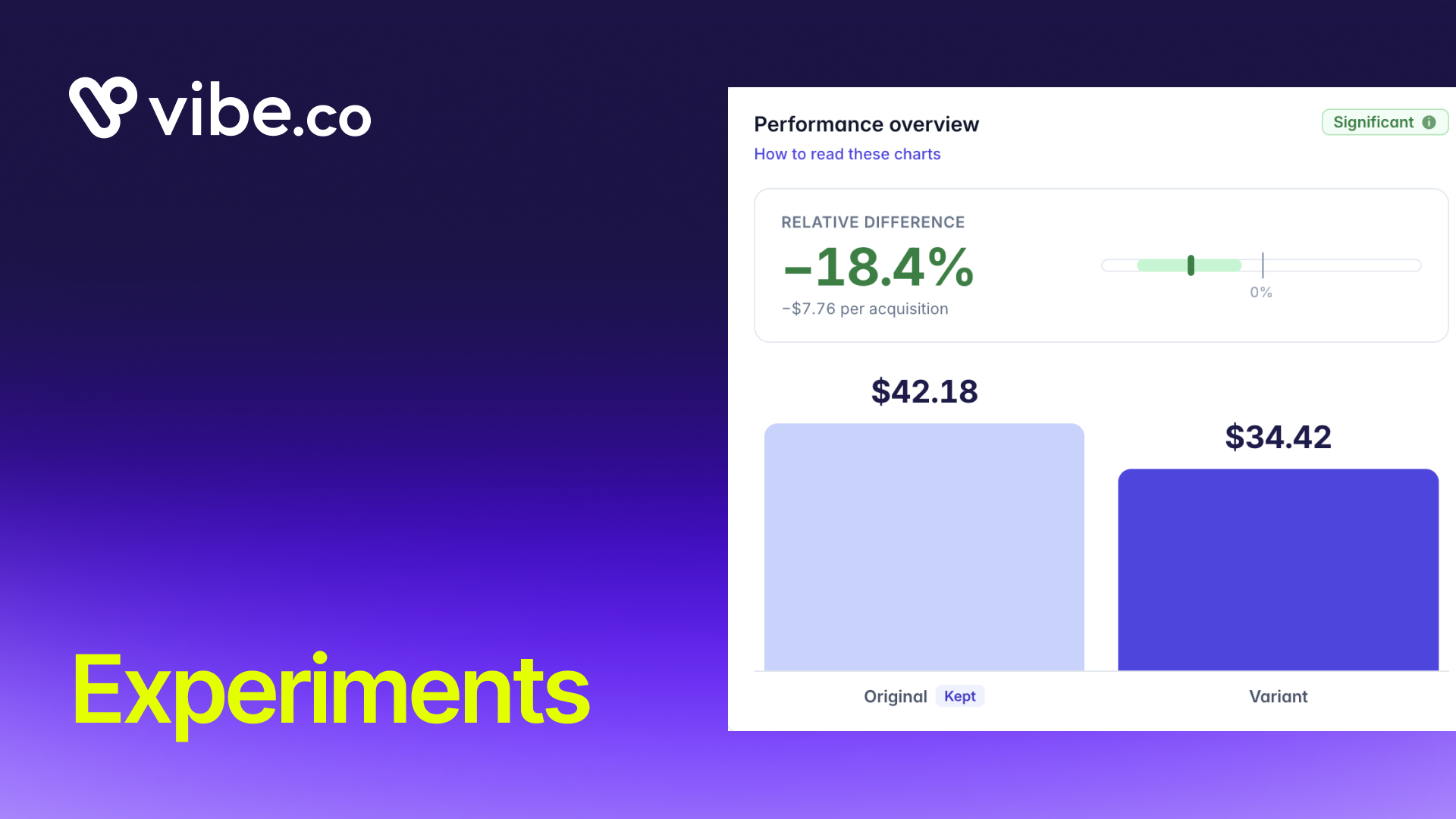
Experiments brings controlled A/B testing to your streaming TV campaigns on Vibe. Put one creative, audience or placement up against another, run both at the same time on separate households, and see which one gets more households to convert for every dollar you spend, with the statistics to back it up.
Say you have a 15-second and a 30-second cut of the same spot and want to know which drives more purchases. Open the strategy, click Create experiment, choose Creative, and put the 15-second cut on the Variant. The campaign report then tells you which cut converts more households per dollar, and whether the difference is significant.
Experiments works on any campaign optimizing for cost per session, lead, purchase or install, across Traffic, Leads, Sales, Retargeting, Install and ABM campaigns. Start one from any eligible strategy, or ask the Vibe Agent or MCP to set it up for you.
Why did we build this?
Advertisers on Vibe already test all the time. We see it in campaign setups every day: two strategies with different creatives, a new audience launched next to an existing one, a channel list swapped to see what happens. The instinct is right, but the setup usually can't support the conclusion. Two strategies that can reach the same households compete for the same conversions, so the credit between them is split arbitrarily. Week-over-week comparisons mix in seasonality and everything else that changed. Either way, the winner you scale may not be the real one.
A valid test needs panelization: each household assigned at random to one side only, so the only systematic difference between the two groups is the change you made. That's how a lab experiment works, and Experiments brings that lab-grade standard to any eligible strategy, in a few clicks.
Vibe already brings the streaming TV workflow into one platform, from Walmart audiences to Canva and Higgsfield creatives to the Vibe Agent and MCP. Experiments makes it a place to learn, not just to buy media, by giving every choice a measured result: which creatives work, which targeting strategies are worth paying for, which supply delivers value, which ideas and setups deserve more budget. And the answers travel beyond Vibe and beyond streaming TV: find out which creative works best, when and where, and take that to every channel you run. You can even set up a PSA test, with a neutral public service announcement on one side and your ad on the other, to see what your advertising adds over not advertising at all.
Creative, audience and placement are the first three variables, and we'll keep adding more. The goal: make Vibe the chemistry set for every TV ad enthusiast.
A clear answer on what to scale
The Original and the Variant are two versions of your strategy that differ only in the variable you're testing. They run over the same days under one shared daily budget, and Vibe ID assigns each household to one side only, so the Variant never buys a household the Original is buying.
Vibe runs the statistics on your campaign's own goal and tells you when the difference is strong enough to move budget.
What you can test
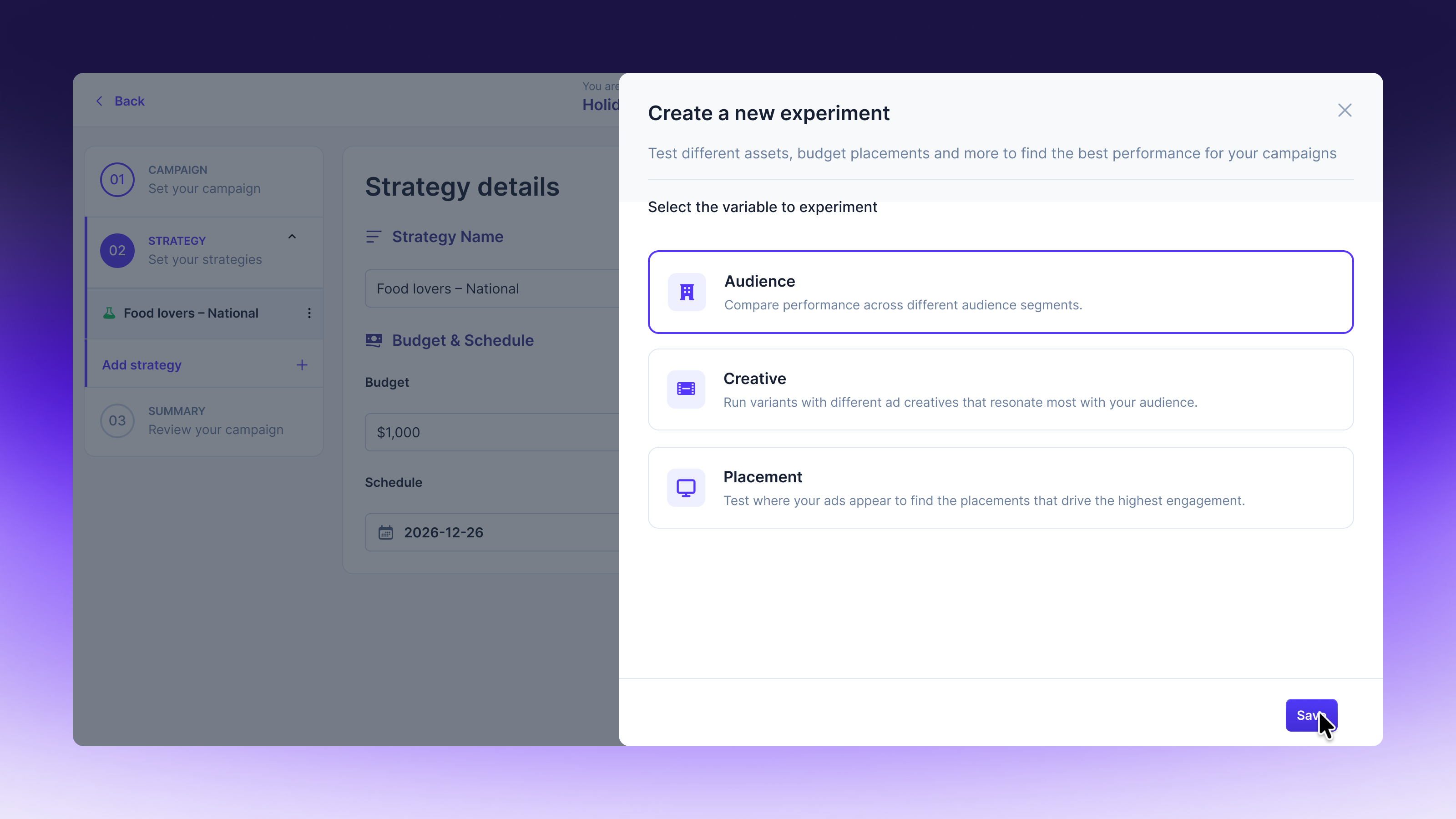
Creative. Run different videos on each side, with everything else shared. It's the cleanest test, since nothing besides the video can explain a difference, and the best place to start if you have two or more creatives ready, whether from your team, an agency, or the creative tools that connect to Vibe like Canva and Higgsfield. Try a 15-second against a 30-second cut, a product-first opening against a customer-first one, or an end card with an offer code against one without.
Audience. Run different audiences on each side: Walmart audiences, CRM lists, lookalikes, firmographic audiences, company lists or website and URL matching audiences. Demographics, device, location, placement and creatives stay shared, so you learn which audience converts better for the same ad on the same inventory. Try a Walmart audience of shoppers in your category against a lookalike of your best customers, your CRM list against a lookalike built from it, or, for B2B, a firmographic audience against your sales team's company list.
Placement. Run different TV inventory of the same inventory type on each side, with everything else shared. Placement tests are directional: each household is still bought by one side only, though it may watch a channel the other side buys. Try news and sports against entertainment and lifestyle, or your best-converting channels against a set you haven't tried yet.
Setting up an experiment
Click Create experiment in the strategy step of the campaign form.
1. Choose the variable: Creative, Audience or Placement.
2. Set the details: name, success metric (it comes from your campaign goal), dates, daily budget and split.
3. Build the Variant: change only the variable you're testing. Anything already used on the Original is greyed out.
4. Check delivery: the estimate panel forecasts each side separately, so you can confirm both can spend their share.
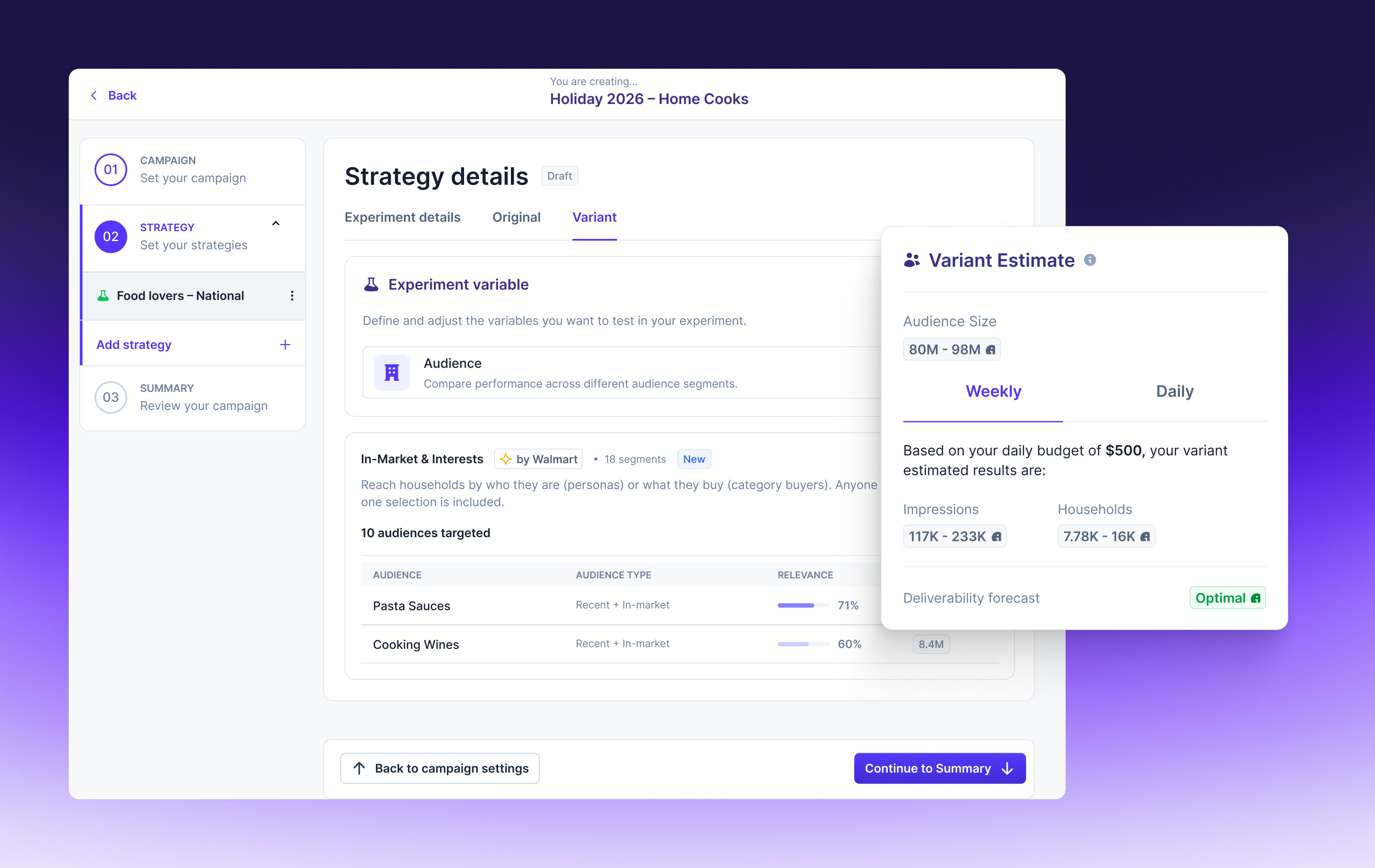
5. Publish: traffic splits by household, and both sides start delivering within one to two hours.
The Variant can take 20% to 80% of traffic and budget, with 50/50 as the default. If your budget is too low, Vibe shows the minimum and applies it in one click. Lifetime budgets are converted to a daily amount. To test a strategy that's already live, Vibe creates the Original as a copy and pauses the live one, keeping the results it has delivered so far separate from the test.
Reading your results
The Experiment tab of the campaign report shows, for each side, the households reached, the success metric, the relative difference and the metric over time, plus spend, impressions and reach to confirm both sides got comparable delivery.
The success metric is converting households per dollar of actual spend, for the event your campaign buys: purchasing households on a cost-per-purchase campaign. A household that converts three times counts once, so a handful of repeat buyers can't tilt the comparison.
The verdict is one of four: the Variant wins, the Variant loses, the result is inconclusive, or there isn't enough data yet. Vibe waits until each side has at least 10 converting households and some spend, and shows a Significant badge when the difference holds at 90% confidence.
- The verdict can move while the experiment runs, so treat any single day's reading as provisional.
- The most recent days keep settling for about three days, including after the end date.
- Inconclusive means the data hasn't shown a difference yet, not that the two sides perform the same.
How long until a result? There's no minimum duration. Three things set the pace:
- Budget: more spend means more conversions and a faster read.
- Event volume: an experiment optimizing for sessions reads out sooner than one optimizing for purchases.
- Split: the smaller side sets the pace. An 80/20 split takes about 1.6× as long as 50/50 to reach the same confidence, so keep 50/50 unless you want to limit exposure to an unproven Variant.
Run your first experiment
Start with a campaign you're already running. Pick the strategy that carries the most budget, put your newest creative on the Variant, and let both versions run until the Experiment tab shows a verdict. The version you keep becomes the starting point for your next test, so each decision builds on the last.
Click Create experiment on any eligible strategy, or tell the Vibe Agent what to test, for example "test the 15s cut against the 30s on Prime-time families, 50/50," and it builds and launches the experiment for you. For a full walkthrough, see our Help Center article.
Speak to our team, and set up your first experiment with Vibe.co.

Activate and Measure Your Snowflake Segments on TV
Activate and Measure Your Snowflake Segments on TV
Vibe is now a native app on the Snowflake Marketplace. Push your most precise Snowflake audiences to TV and bring campaign results back into Snowflake.
Vibe.co + Measured: Put streaming TV in your incrementality model
Connect Measured to Vibe once, and your streaming TV spend and performance sync daily, evaluated for incrementality next to every other channel you run.
Introducing Melius for Vibe: from a product photo to a TV-ready spot
Generate a video ad in Melius and export it straight to your Vibe creative library, checked against Vibe's TV specs before it leaves the canvas.
Amperity audiences, now on Streaming TV
Connect Amperity to Vibe and turn unified customer profiles into CTV audiences.
Introducing Vibe for Higgsfield: make a TV ad and launch it on streaming TV in one conversation
Generate a 15 or 30 second TV commercial in Higgsfield and launch it as a streaming TV campaign on Vibe, all from one conversation.

Get started with Vibe
in minutes.


Industries
© 2026 Vibe, Inc.